Scan
Start with the card in front of you
Photograph a card to recognize text and barcodes using Apple’s Vision framework on your device. You can also enter details that cannot be read.
 Tessera

The cards you already carry, in Wallet.
Scan a membership, library or loyalty card, review the details and create a personal Apple Wallet pass. Correct recognition results, choose a design and keep the original card when a venue still needs it.

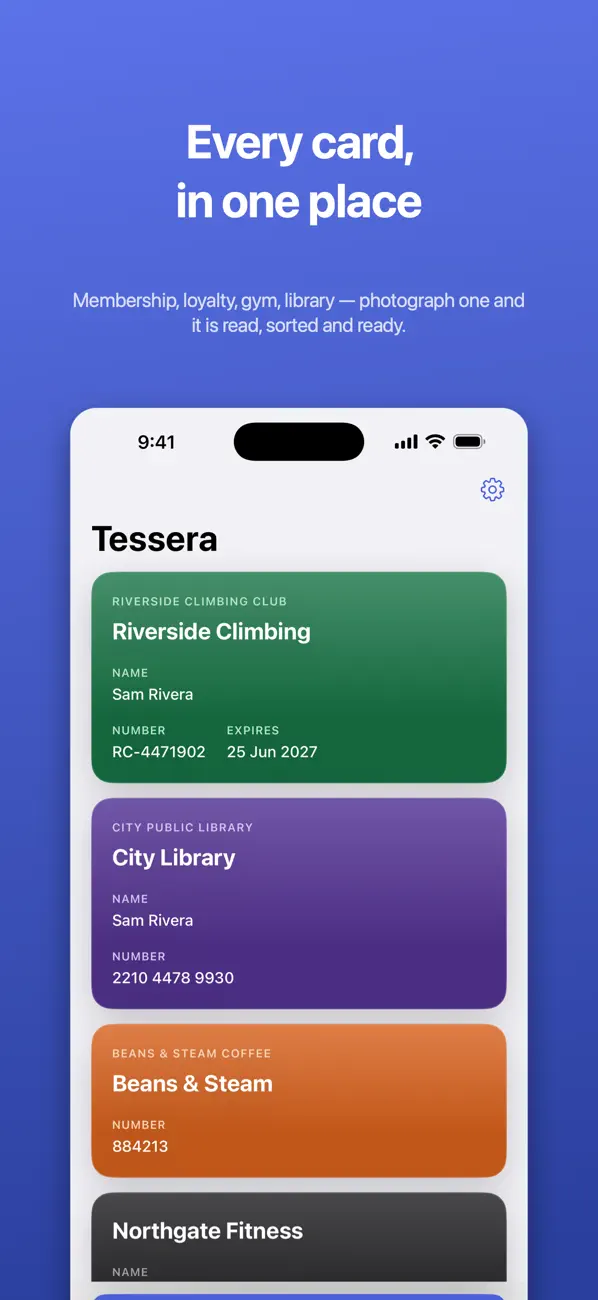
Made for everyday use
Tessera helps make a digital copy of a card you already own. It does not issue a new membership, create an official credential or guarantee a venue will accept a Wallet version.
Scan
Photograph a card to recognize text and barcodes using Apple’s Vision framework on your device. You can also enter details that cannot be read.
Review
Edit the card name, holder name, member number and expiry date before creating a pass. Recognition is a starting point, not a final verification.
Appearance
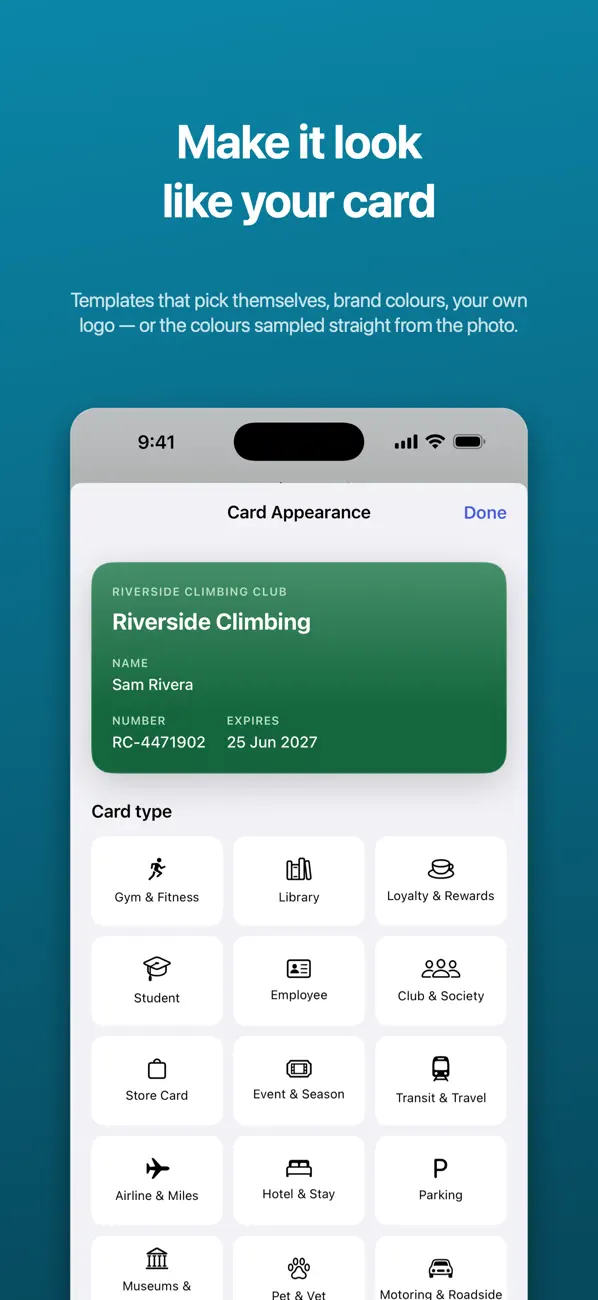
Use colors picked from the card image, choose a template or adjust the color and logo yourself. Different card types use appropriate Wallet layouts.
Barcodes
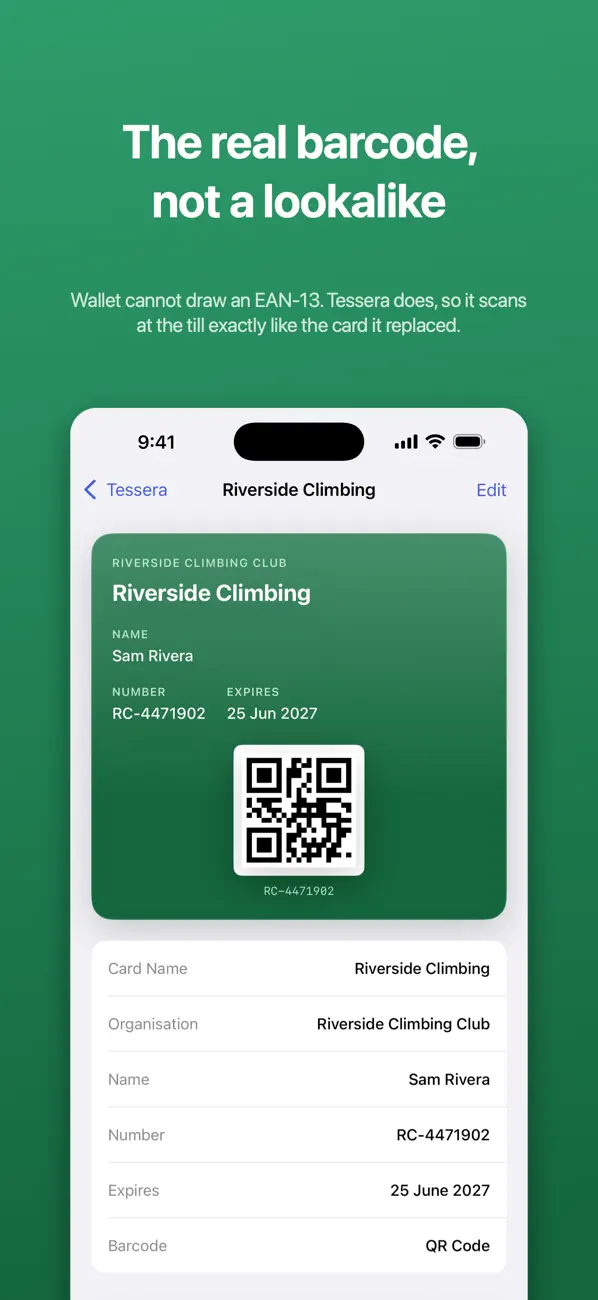
Supported barcodes are drawn afresh by Wallet. For some unsupported formats, the app places a scannable version on the pass instead. Acceptance still depends on the venue and scanner.
Reminders
When you add an expiry date, use the app’s reminder options to help you check whether the underlying membership or card needs renewing.
Backup & sharing
Optionally back up cards through your own iCloud. Share only a card you are entitled to share, and review the personal information included in its pass.
Inside the app
Real screenshots from the current App Store gallery. Select an image to see it in full.
A simple place to start
Use a clear image of an eligible membership, loyalty or similar card. Do not use the app to recreate official identity documents.
Confirm the member number, barcode, name and expiry date. Choose a recognizable design and review the pass before creating it.
Try the pass at the relevant venue and keep the original where required. A digital copy does not change the issuer’s rules.
Scan a card with Tessera, verify the number and barcode, and test the pass before leaving the physical card at home.
Read the guideFree and paid options
Tessera is free to download. Review the in-app purchase screen for the current free allowance and premium features before relying on it for a larger card collection.
The current US App Store lists Tessera Premium at $9.99. The public listing does not clearly describe the precise free allowance or all premium entitlements, so check those details in the app before purchasing.
Prices and available purchases can vary by country and change over time. Review the current local price, entitlements and terms in the app before buying. US App Store information checked 6 November 2026.
The current description says recognition happens on-device and the card photo is discarded rather than saved or uploaded. Details needed to create and sign a pass are sent when required. Optional iCloud backup is separate from on-device recognition, so the whole workflow should not be described as entirely local.
No. It creates a personal digital version of a card you already own, not an official credential. It cannot create government IDs, driving licences or passports.
No. Barcode readers, card policies and acceptance vary. Some places require the original physical card; keep it when needed.
The current description says text and barcode recognition use Apple Vision on-device. Pass creation or signing can still require sending the necessary card details.
Yes. Review and edit the recognized fields before creating the Wallet pass. If a barcode cannot be read, you can type its value.
Scan, review and keep the original when you need it.
iPhone · iOS 18.0 or later