1. Start with the right report
AdMob reports describe advertising in apps. AdSense reports describe the supported publishing activity on your account. They are separate sources, so check the selected network before reading a number.
In Earnings for iPhone, you can explore sample data before connecting Google. For live reports, use the account that has permission to read the relevant AdMob or AdSense reporting. Access is read-only: it does not let Earnings edit your ads.
Open the numbers and choose the network and date range. Today is useful for a check-in; a multi-day chart gives more context. Reporting can lag. A quiet morning is not automatically an ad outage, and refreshing the chart is not a revenue strategy. Unfortunately.
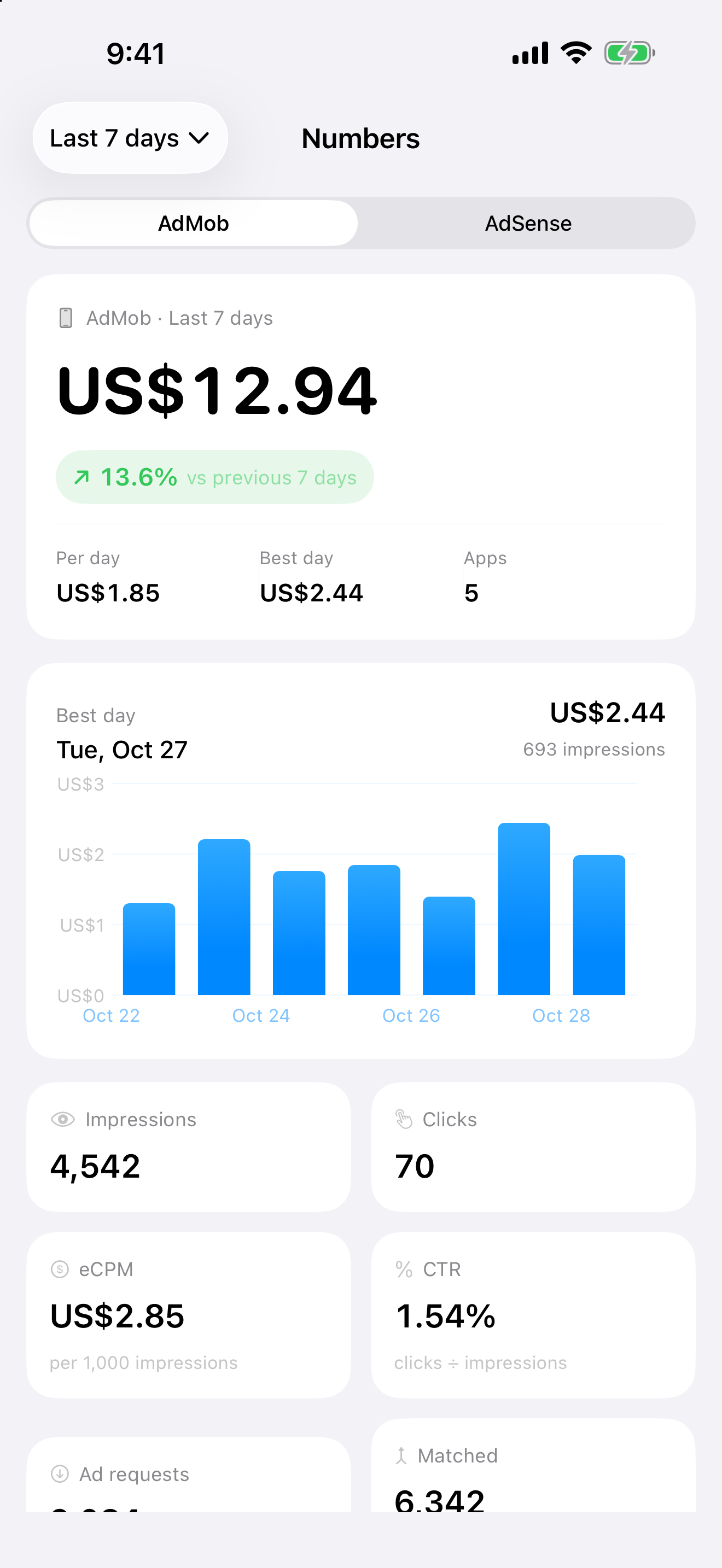
Keep the word estimated in view. Google distinguishes reporting estimates from finalized earnings and payments; adjustments and reporting cutoffs can create differences. Your dashboard is not your bank balance. See Google’s explanation of earnings and payments.
2. Find the app, site or placement behind the total
A whole-account total can hide a change in one app or site. Open a supported breakdown and inspect the individual item, then the daily chart. Available groupings and metrics depend on the selected network; do not assume every AdMob metric has an identical AdSense equivalent.
Look at earnings alongside impressions and the network’s eCPM or RPM measure. Fewer impressions and lower yield can both accompany a smaller total, but the chart alone cannot prove the cause. Check Google’s reporting definitions and the original console before changing placements or account settings.
- Confirm the network and app or site.
- Check the period, reporting currency and data freshness.
- Inspect the daily chart for gaps or a partial day.
- Read impressions and the available yield metric alongside earnings.
- Use the original Google report to investigate further.
Explore Reports in Earnings 1.4
Explore Reports is included in the public 1.4.0 release. Its App Store release notes confirm charts and breakdowns by country, app or site, ad unit and format.
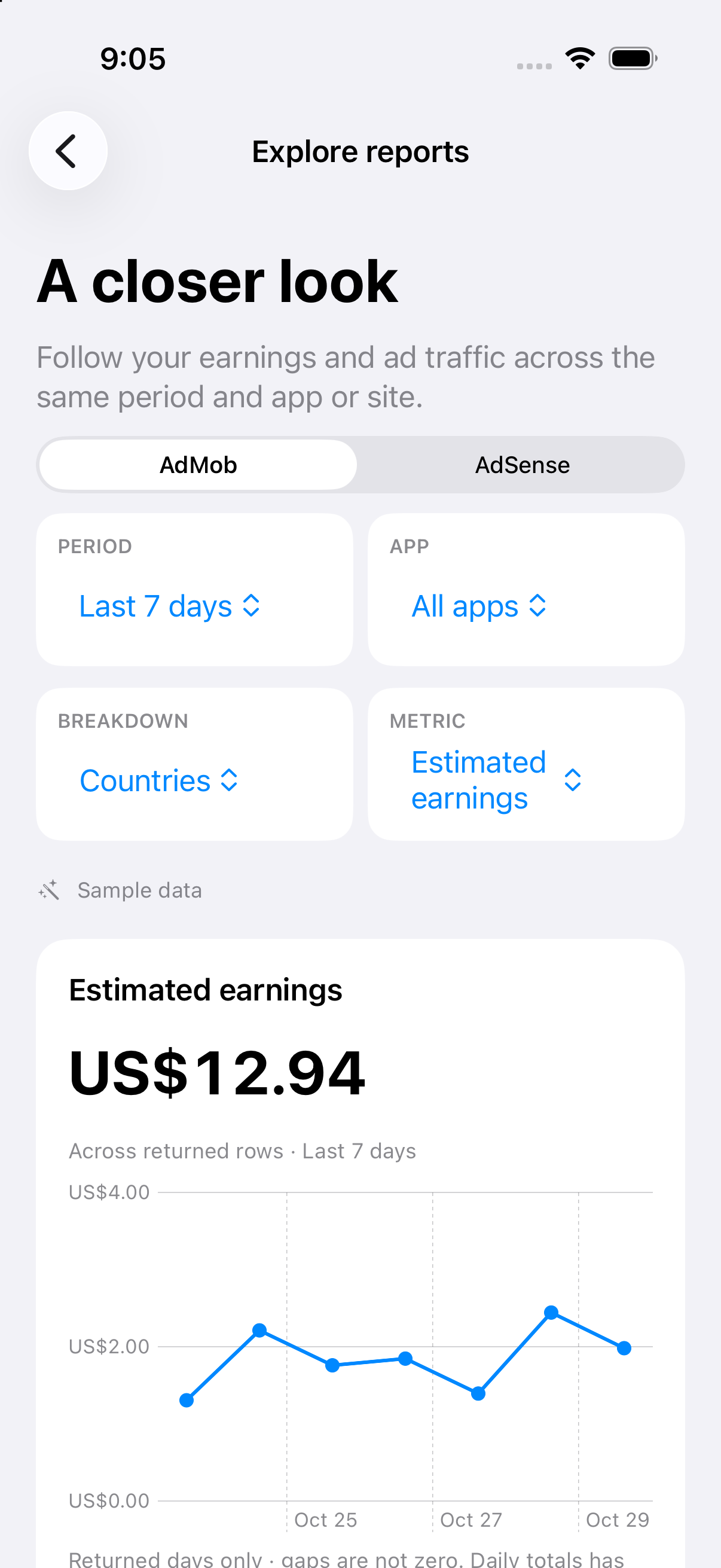
The implemented explorer keeps the period and selected app or site together while you change breakdowns. Countries, apps or sites, ad units and ad formats are available where supported by the network. Pick a metric for the trend chart, inspect the ranked rows and tap an item for its daily details.
Start broad, then narrow one filter at a time. A country breakdown for one app answers a different question from a country breakdown across every app. The screenshots below are fictional examples, not a recommendation about which country or placement earns more.
App versions are traffic-only
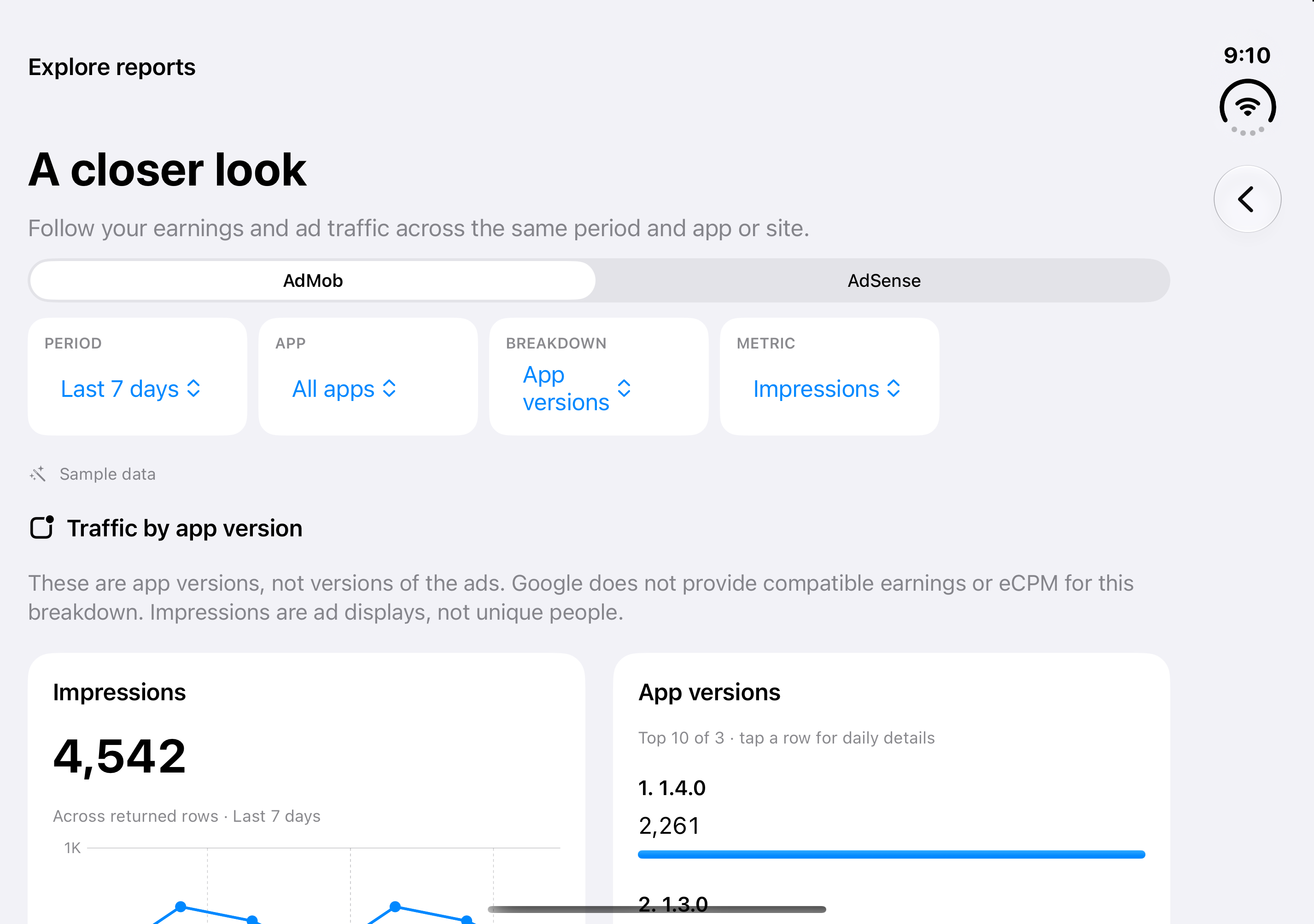
For AdMob app versions, Earnings exposes impressions and clicks. These metrics describe traffic, not revenue. Revenue and eCPM are unavailable for this breakdown and are not filled with invented values.
An impression is an ad display, not a unique person. An app version is not an individual ad creative. This view does not supply unique audience, retention or lifetime-value data. Read any warnings about returned rows and missing dates; gaps are not automatically zero.
3. Compare like with like
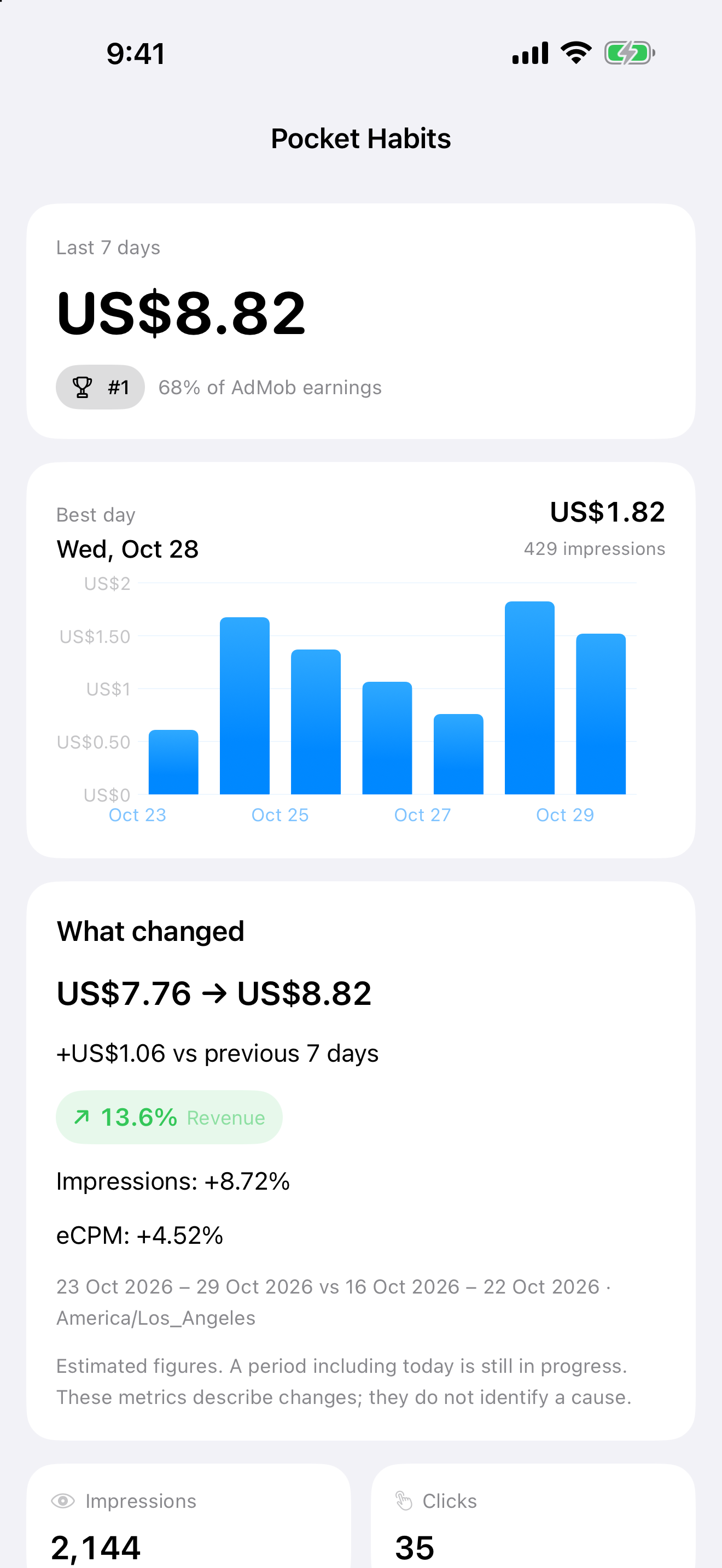
For a manual comparison, use the same network, account, app or site, grouping and currency. Write down both date ranges. Comparing twelve days of this month with an entire previous month mostly tells you that twelve is smaller than thirty.
For multi-day periods, compare windows with the same number of reporting dates. Be careful with Today and ranges that include today: equal date counts do not guarantee equal elapsed hours or complete data. A reporting day follows the account’s reporting calendar, which can differ from the phone’s local day. Google documents reporting time-zone behavior in the AdMob reporting guide; AdSense’s reporting and billing cutoffs can also differ.
Keep the currency code visible. A dollar symbol alone is ambiguous, and values in different currencies are not directly comparable. This guide does not promise automatic currency conversion or a combined cross-network total.
4. Know what connecting gives access to
Live reports require a Google account with the relevant reporting access and an internet connection. Review the permissions before connecting. Google explains report access in its AdMob authorization documentation. You can revoke the app’s access in Google account permissions.
Read-only describes reporting permission; it does not mean the entire app collects nothing. Earnings integrates advertising and analytics and offers optional purchases. Apple’s privacy disclosures include identifiers, usage, location and diagnostics, including tracking. Read the developer privacy policy alongside the current Store privacy disclosures.
The app is free to download with ads. Earnings Pro removes ads; current source does not reserve core reporting, sample exploration, widgets or optional alerts for Pro. Check the in-app offering for regional pricing and terms. The main app interface is English.
A calmer daily check
Choose a report. Check dates and currency. Look at the individual app or site before reacting to the total. If something looks unusual, investigate with the original Google reporting tools. Estimated figures are useful signals, not a guarantee about the next payment.
Want a quick tour first? Visit the Earnings app page. If your next publishing problem is an oversized image rather than a revenue chart, the Squooshy file-format guide explains the tradeoffs.
Earnings is independent and is not affiliated with Google. Screenshots show a development candidate. Feature availability and purchase terms must be checked in the current released app.