For app developers
Read AdMob reports and explore results by app, ad unit or country. See where your estimated earnings come from.

 Earnings · for iPhone
Your ad reports. Within reach.
Check estimated AdMob and AdSense earnings without opening your laptop. Follow the numbers, explore your reports and get back to building.
Download on the App StoreiOS 17 or later · Free with ads · Optional in-app upgrade
A smaller way to check in
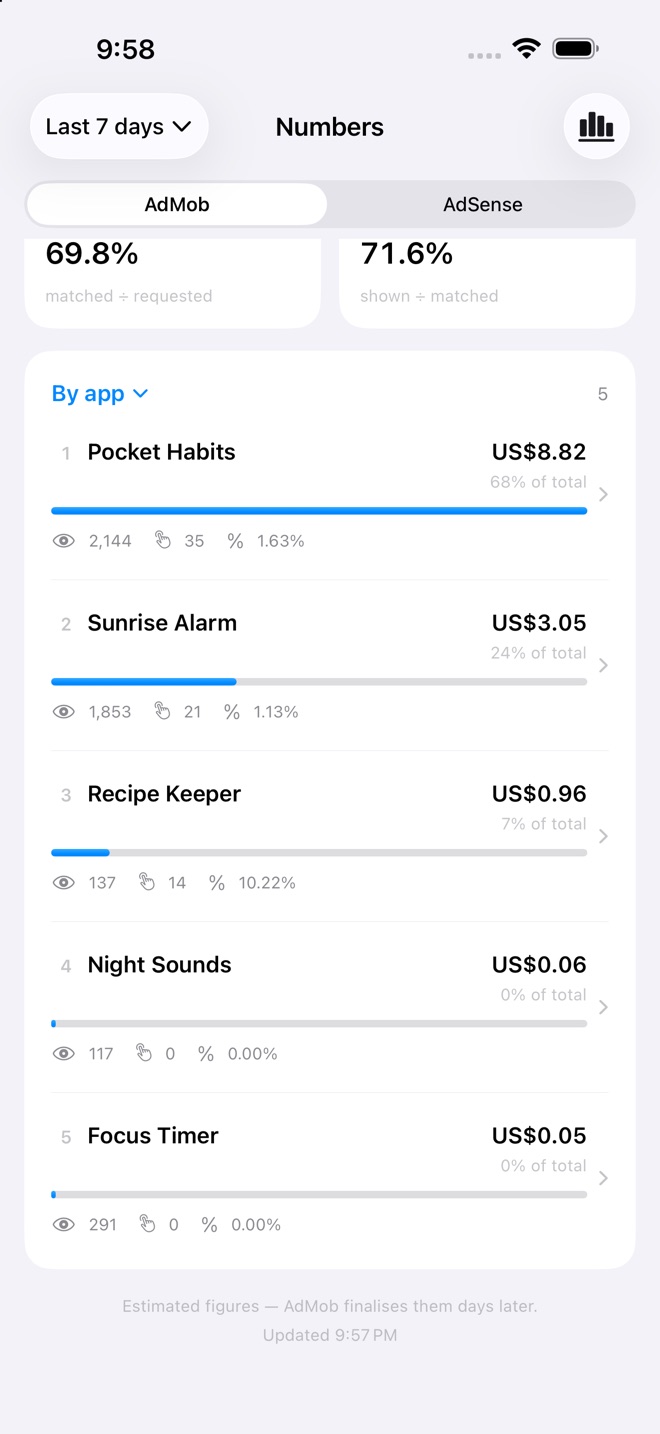
Read AdMob reports and explore results by app, ad unit or country. See where your estimated earnings come from.
Connect AdSense reporting and keep your site earnings close. Available metrics and breakdowns depend on the network.
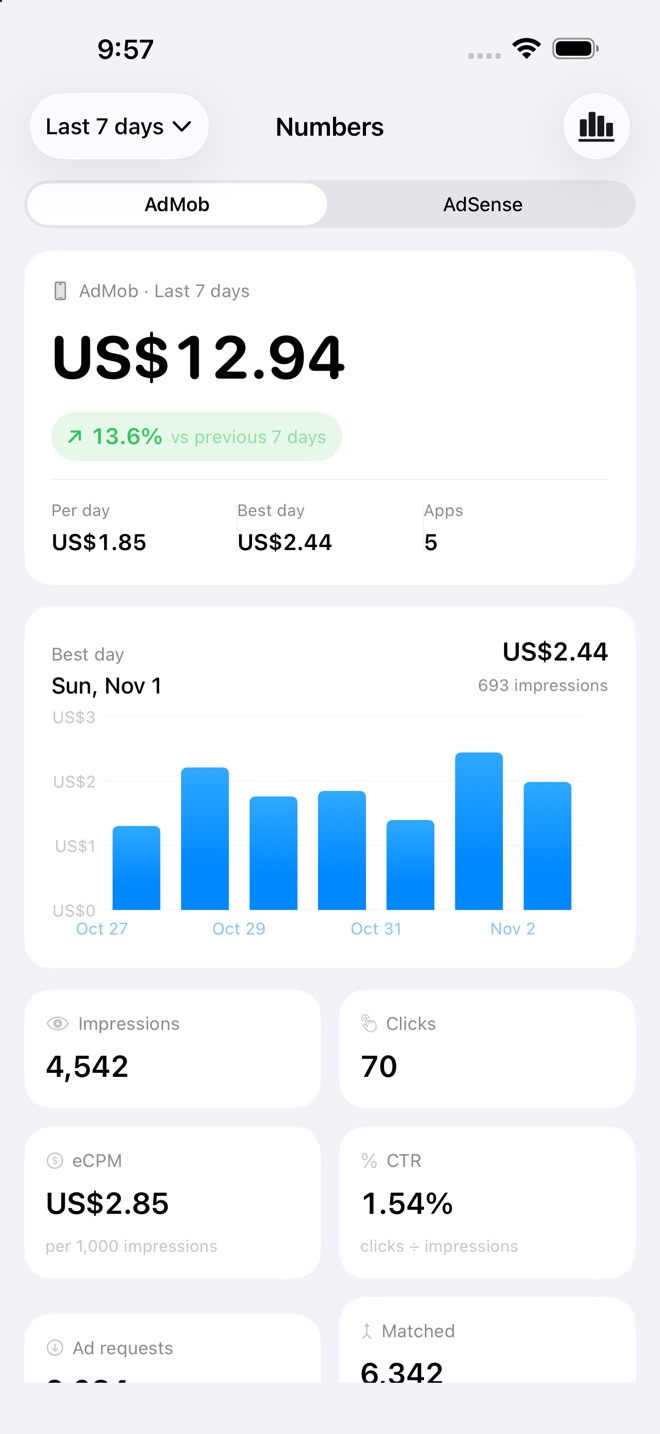
Choose a reporting period and inspect daily charts, impressions, clicks and eCPM or RPM. Your coffee can stay warm.
Explore a country, app, site or placement without losing the reporting context.
Version 1.4.0 is publicly available on the App Store, released 1 November 2026. It includes Explore Reports, daily details, period comparisons and a choice of AdMob or AdSense widgets.
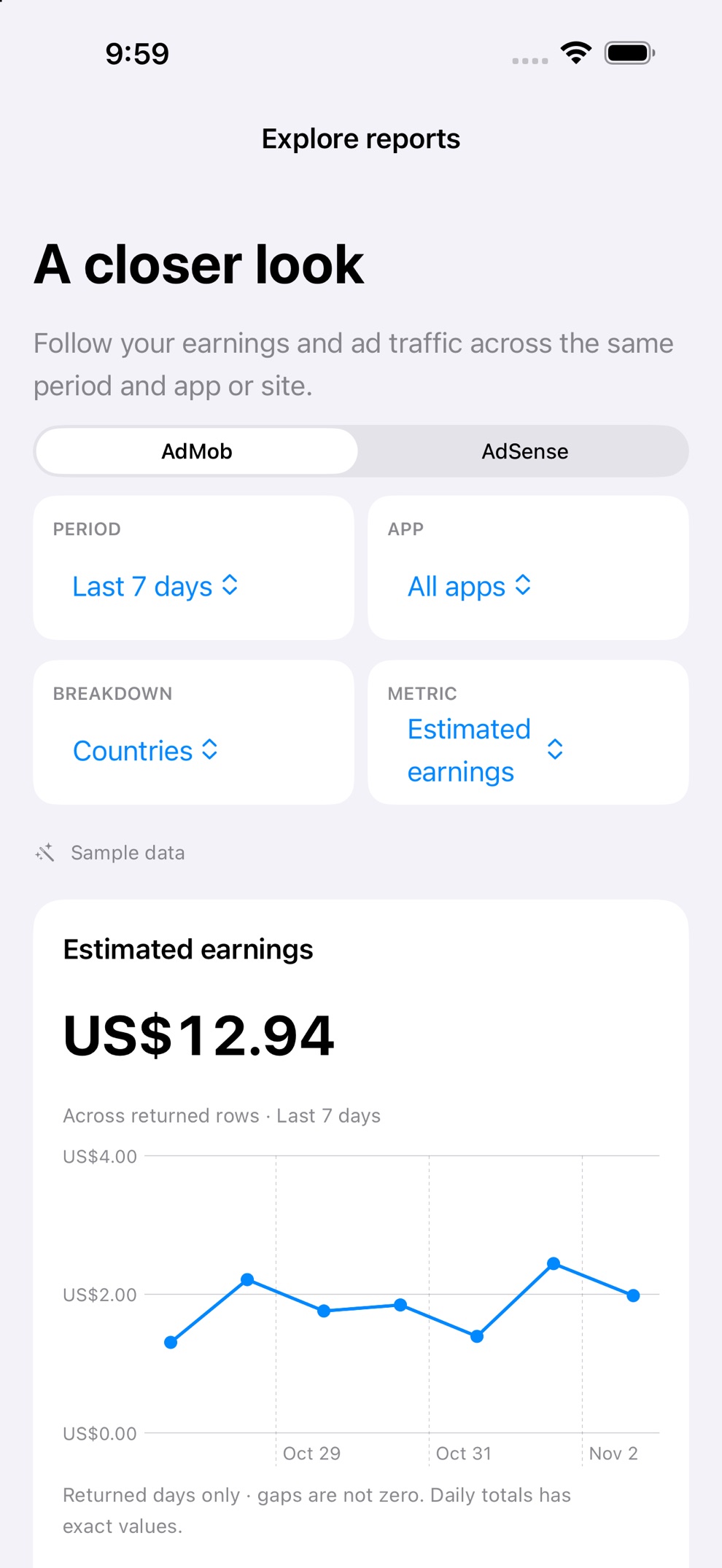
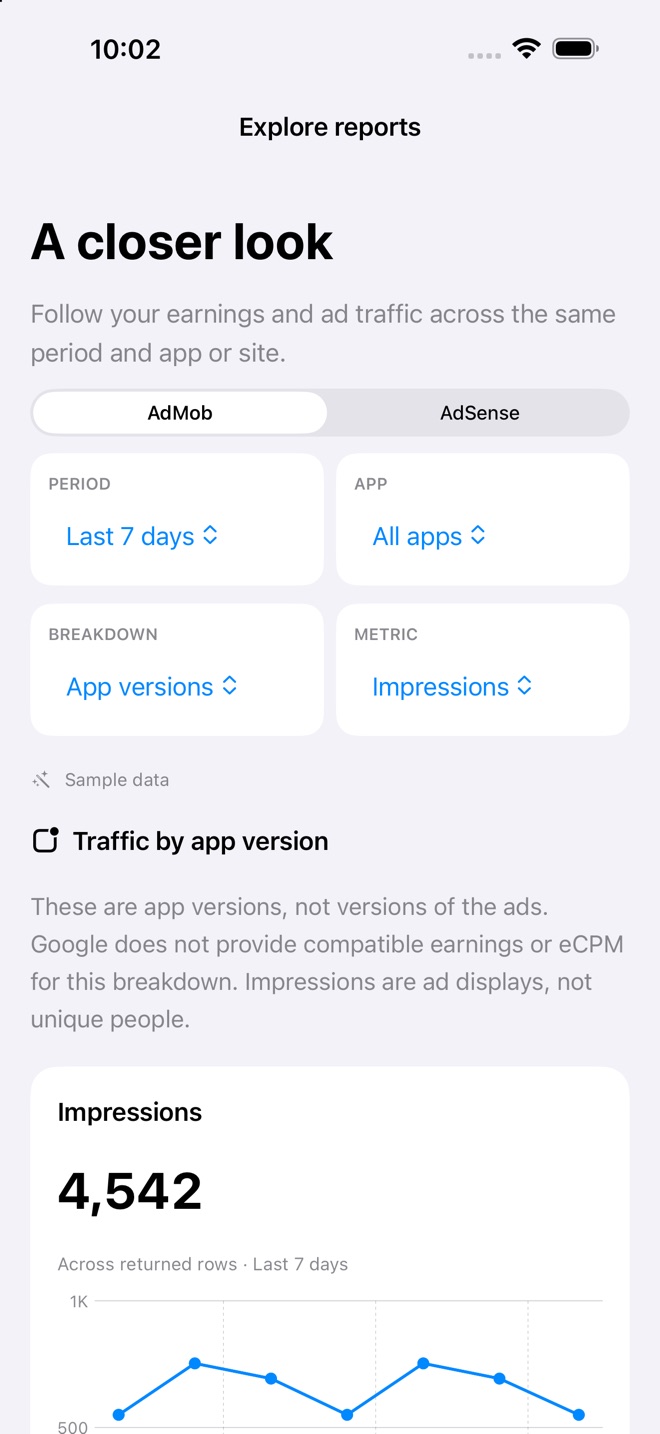
Choose a reporting period and app or site, then explore countries, apps or sites, ad units and formats where supported. Select a trend metric, inspect rankings and open a row for daily details.
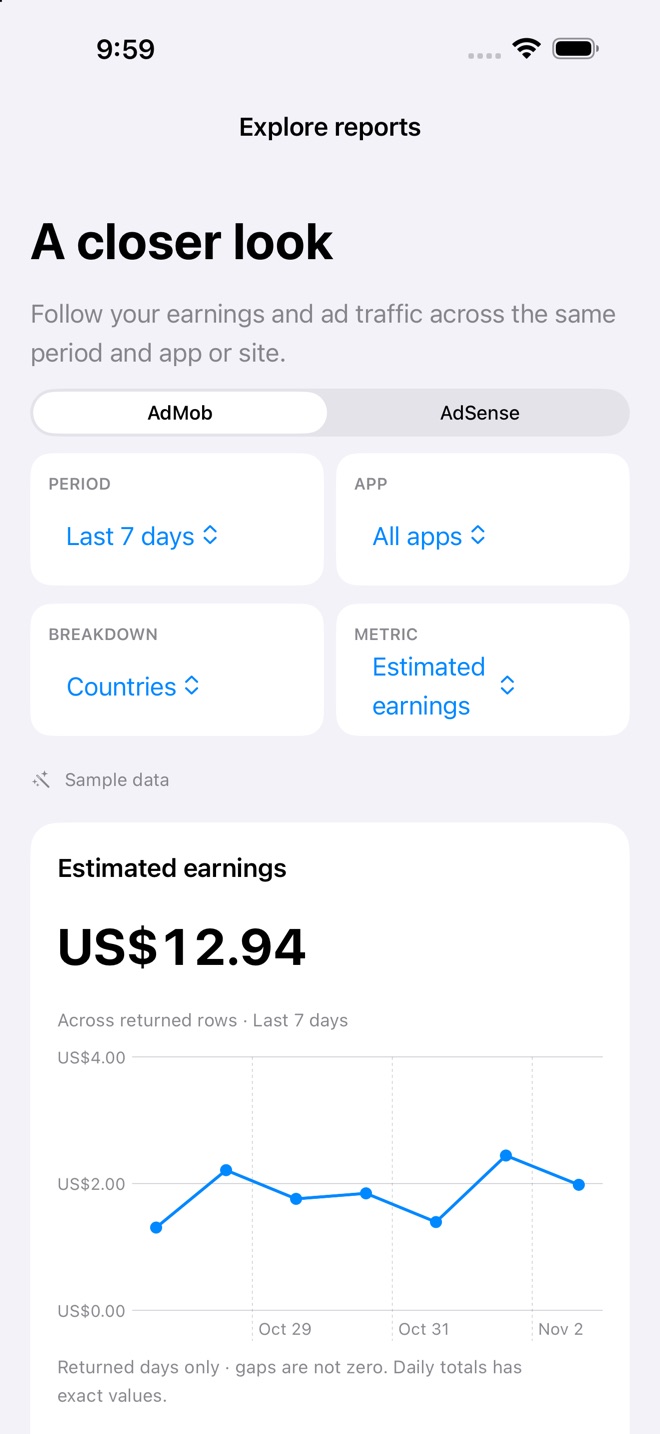
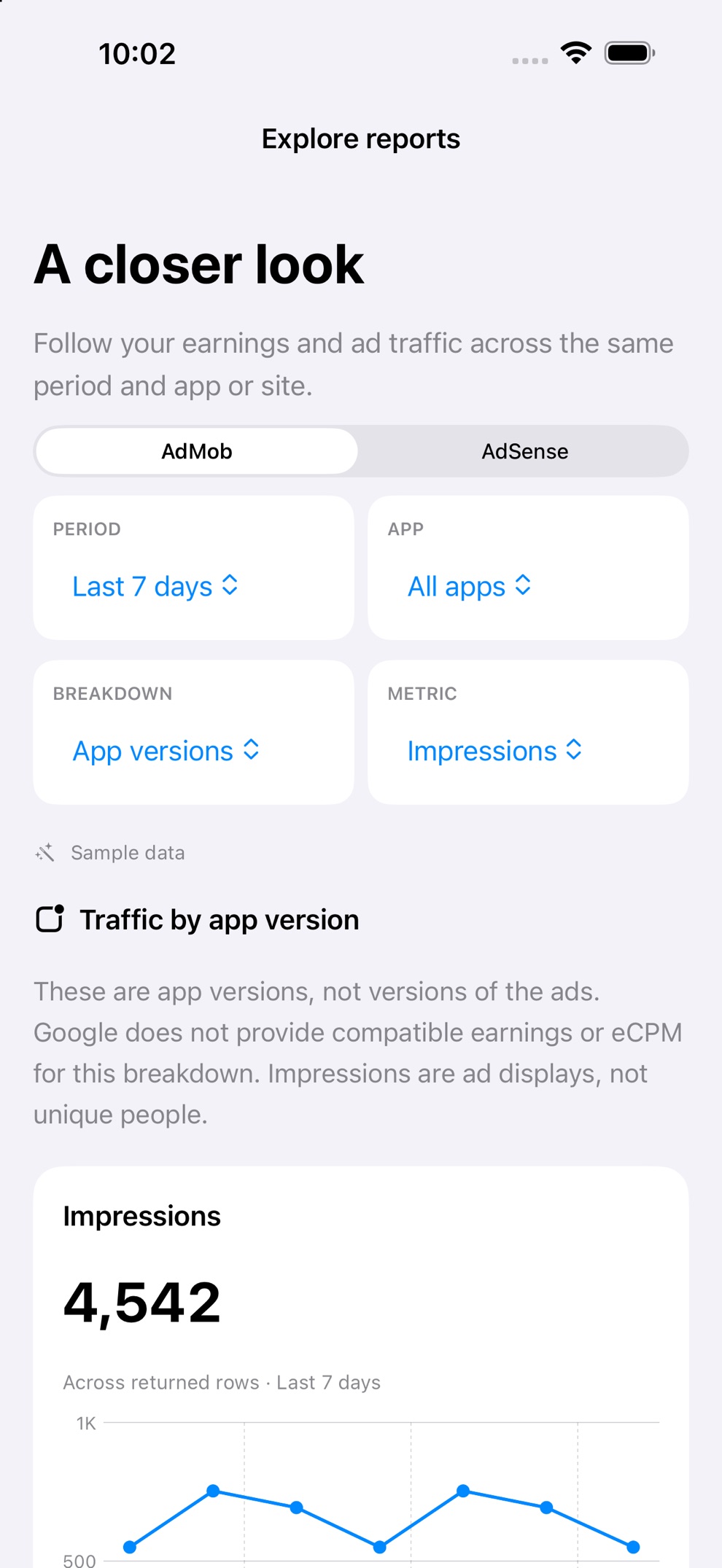
The AdMob app-version view covers impressions and clicks. It does not show revenue or eCPM by version. These are versions of your app, not versions of individual ads, and impressions are not unique people.
Version 1.4.0 also improves large-text layouts on Duo and helps What’s New appear more reliably after an update.
Read the practical guide to tracking ad earnings for dates, currencies and comparison limits. The app contains ads; Earnings Pro removes them.
Getting started
Access and privacy
Earnings requests read-only Google reporting access. It cannot change your advertising account. You can revoke access through Google account permissions.
The developer policy describes earnings reports going directly from Google to your device. Advertising, analytics, purchases and SDK data have separate privacy implications; Apple’s current disclosures include tracking, identifiers, usage, location and diagnostics.
Read the developer privacy policy · Review Apple’s privacy disclosures
Earnings is free to download with advertising. The optional in-app upgrade removes ads. Check the purchase screen for current local pricing and terms.
No Google reporting account yet? Sample data lets you explore the interface. Live reports require an eligible account and an internet connection.
Set up a useful Earnings widget on iPhone, understand stale figures, and know when to open the full AdMob or AdSense report.
Read the guideBefore you download
Earnings is an independent app. It is not affiliated with, endorsed by or sponsored by Google.
An iPhone running iOS 17 or later, an internet connection and a Google account with access to AdMob or AdSense reports. The app interface is in English. You can explore sample data before connecting.
Google reporting access is read-only. Earnings can read reports; it cannot edit your ads or account settings. You can revoke its Google access in your Google account permissions.
The app is free to download and contains advertising. An optional in-app upgrade removes ads. Check the in-app purchase screen for current local pricing and purchase terms.
No. Advertising reports show estimated figures and may be delayed or adjusted by the network. Use Google’s own account and payment records for final earnings and payout information. Google explains the distinction in its estimated versus finalized earnings guide.
These are actual local simulator captures built from the source associated with released version 1.4.0, using fictional sample data. They are not captures from the installed App Store binary. Two reporting screens use capture-only navigation into unchanged production views. See the current Store listing for released features.
Reporting access is read-only, and the developer policy describes direct Google-to-device earnings reports. The app also integrates advertising and analytics, with optional purchases. Apple’s privacy disclosures list identifiers, usage, location and diagnostics, including tracking. Read the developer policy and current Store disclosures before connecting.
AdMob and AdSense reports, designed for a quick check on iPhone.
Get Earnings on the App StoreEarnings is independent and is not affiliated with Google.
Public App Store version and compatibility rechecked 6 November 2026.