Release preparation
Work through what is still missing
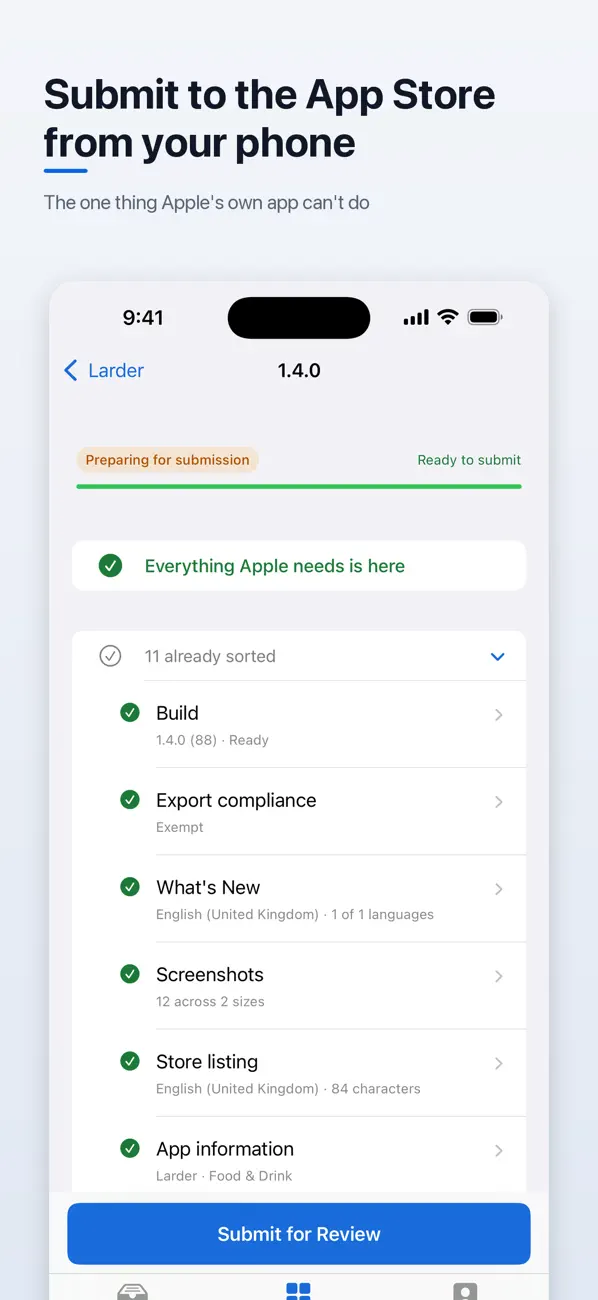
A checklist covers build selection, release notes, screenshots, listing information, export compliance and other supported submission fields.
 Deploy Studio

Your release checklist, away from your desk.
Manage supported App Store Connect workflows from iPhone or iPad. See what needs attention, prepare a version, inspect build problems and submit a ready release for App Review.

Made for everyday use
Deploy Studio puts common App Store Connect tasks into a focused mobile client. It works with the access your API key permits and does not replace Apple’s review process, account requirements or every App Store Connect capability.
Release preparation
A checklist covers build selection, release notes, screenshots, listing information, export compliance and other supported submission fields.
Submission
Submit a version and its associated in-app purchases when the release requirements are satisfied. Apple still controls review, approval and release processing.
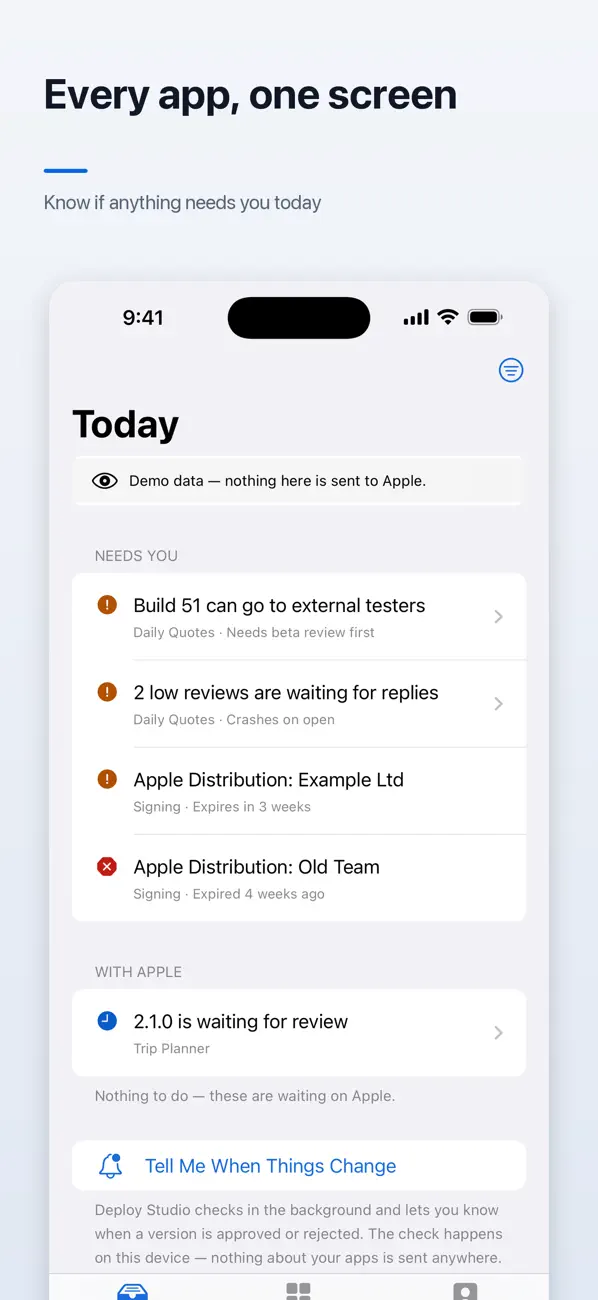
Today
Review rejections, unanswered reviews, builds waiting on beta review and expiring certificates across your apps. Background checks and the widget reflect the information the device has retrieved.
Build investigation
Read TestFlight crash reports and Xcode Cloud run steps, inspect reported errors and start an authorized Xcode Cloud build.
Reporting
Inspect downloads that exclude updates and proceeds separated by currency, alongside ratings and reviews with reply support.
Sample mode
Use Look Around First to explore the interface with sample data. You do not need to connect your account to try that mode.
Inside the app
Real screenshots from the current App Store gallery. Select an image to see it in full.
A simple place to start
Try Look Around First so you can inspect the workflow without connecting a developer account.
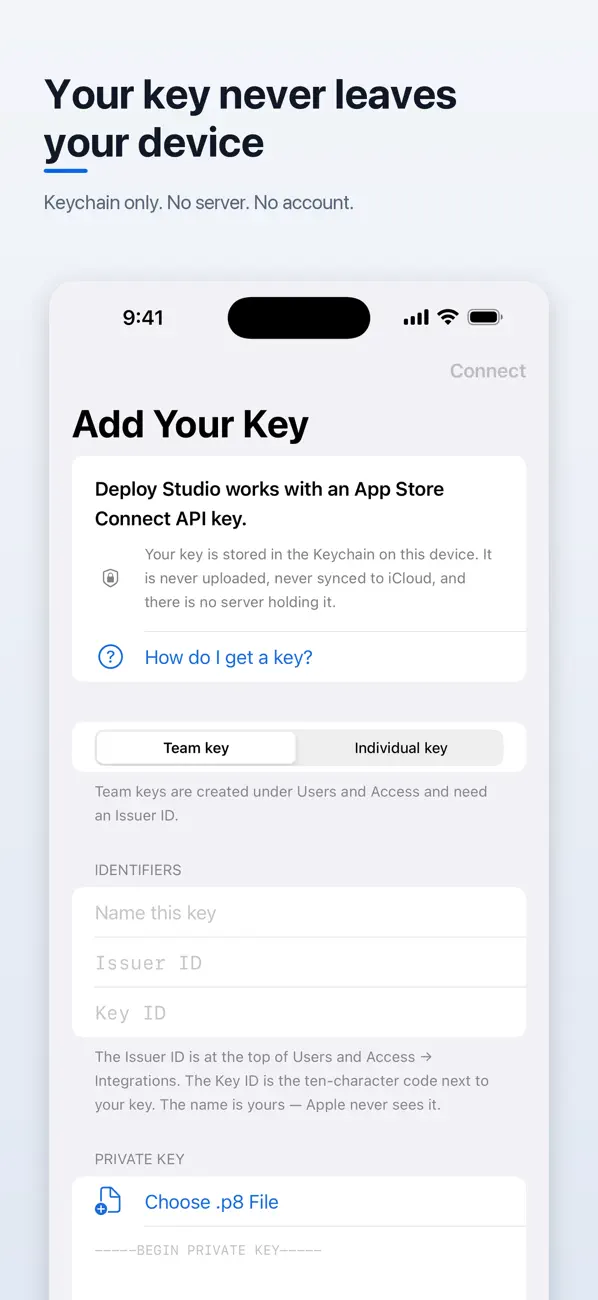
If you decide to use your account, follow Apple’s API-key setup and choose an appropriate role. Treat the private key as a credential and never share it in support messages.
Check the selected app, version, build and release details before submitting for review, replying to a review or starting a build.
A practical mobile release checklist: confirm the app and version, identify blockers, inspect builds and decide what needs a desktop.
Read the guideFree and paid options
Every feature is available in the free app, with advertising. Sample mode lets you explore without an App Store Connect API key.
The released description says Deploy Pro is a one-time purchase that removes ads, with no subscription. The US App Store lists “Premium Plan” at $9.99.
Prices and available purchases can vary by country and change over time. Review the current local price, entitlements and terms in the app before buying. US App Store information checked 6 November 2026.
According to the current App Store description, the API key stays in the device Keychain, is not synced to iCloud and is used to sign requests to Apple’s App Store Connect API. Deploy Studio has no account or server of its own. Read the developer policy for the full app data practices.
No. Look Around First uses sample data so you can explore without connecting an App Store Connect account.
No. It helps prepare and submit supported release information. Apple makes the App Review decision and may require further action.
No. Deploy Studio is independently published and is not affiliated with or endorsed by Apple Inc.
The current description says every feature stays free. The optional one-time Deploy Pro purchase removes advertising.
Try the sample data first, then connect when you are ready.
iPhone & iPad · iOS 18.0 or later