Tones
Hear the difference
Practice Thai’s five tones with visual pitch patterns, minimal-pair drills and ear training. Come back to sounds you find difficult instead of rushing past them.
 Beam

A little Thai for real life.
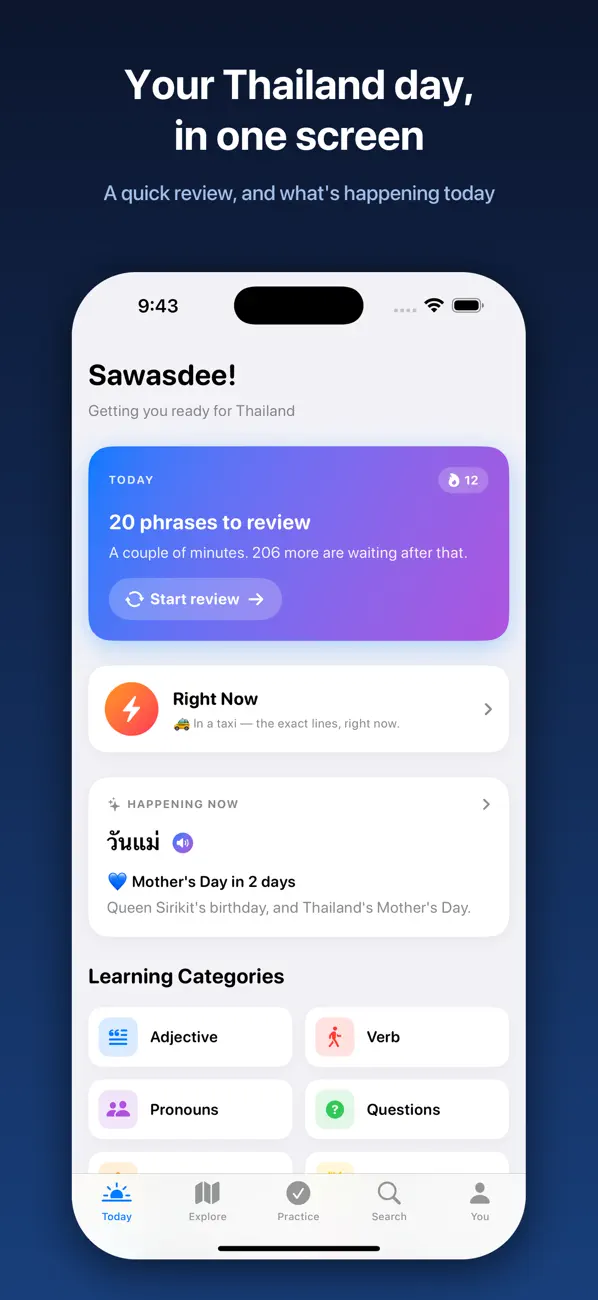
Build a Thai practice routine around the moments you care about. Hear the tones, try speaking, learn useful phrases and explore the cultural context behind the words.

Made for everyday use
Beam brings listening, speaking, script and culture into one place. It is for learners who want short, repeatable practice and travelers who want to prepare for everyday situations in Thailand.
Tones
Practice Thai’s five tones with visual pitch patterns, minimal-pair drills and ear training. Come back to sounds you find difficult instead of rushing past them.
Speaking
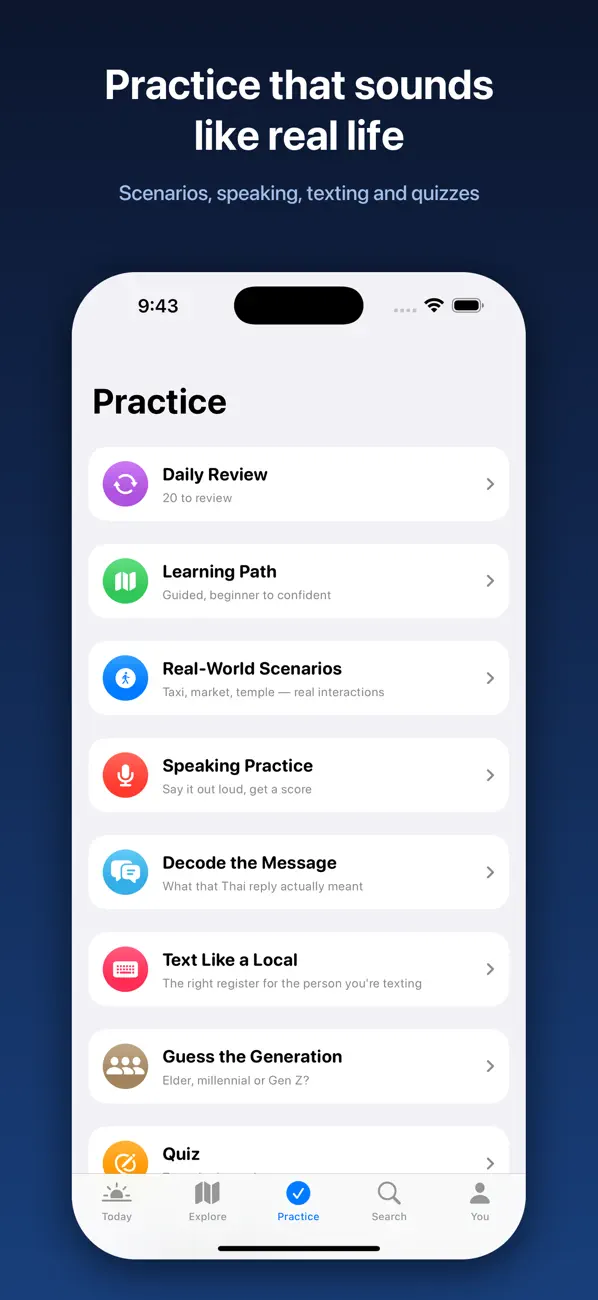
Use speaking practice with on-device speech recognition and feedback. Treat the feedback as a practice aid, alongside careful listening and real conversation.
Role-play
Listen to both sides of a conversation, then take a turn. Scenarios include ordering food, taking a taxi, bargaining, checking into a hotel and meeting friends.
Script & phrases
Explore the 44 Thai consonants, vowels and consonant classes. Use audio phrases, cards and search to revisit useful language.
Daily review
Follow a learning path and use spaced repetition, quizzes, favorites and daily review to keep useful words in circulation.
Culture
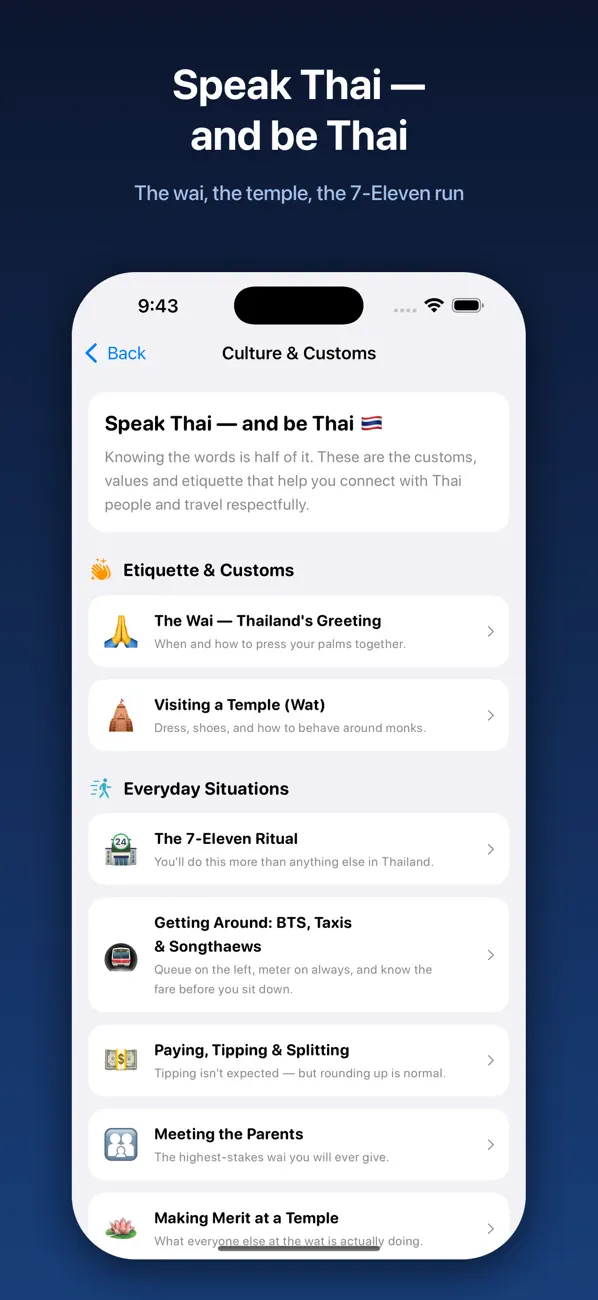
Read about the wai, temple etiquette, polite particles and festivals. Language practice becomes more useful when you understand the situation around it.
Inside the app
Real screenshots from the current App Store gallery. Select an image to see it in full.
A simple place to start
Start with something concrete, such as ordering food or greeting someone. Find a phrase or role-play that matches it.
Hear the words, look at the tone pattern and try the speaking practice. Repeat the part that needs attention.
Use your daily review and favorites to revisit useful material. Build a small routine you can keep, rather than racing through a long list.
Use Beam to rehearse a restaurant conversation, listen for the reply, and build a small Thai practice routine you can repeat.
Read the guideFree and paid options
Download Beam for free and explore Thai learning, practice and review. The app includes advertising.
The current US App Store lists a “Remove advertisements” in-app purchase for $7.99.
Prices can vary by country and change over time. Check the purchase screen in the app for the current local price and terms before buying. US App Store information checked 6 November 2026.
Beam’s current App Store description identifies on-device speech recognition for speaking practice. That describes the speaking feature, not a blanket promise that the whole app collects no data. Review the developer privacy policy for the broader data practices.
FROM OUR SOCIAL FEED
Everyday Thai phrases and practical moments to try them.
The preview loads automatically from Instagram when you visit this page. Instagram receives the request and may process browser/network information and use cookies. Its preview shows up to six recent posts; updates and availability are controlled by Instagram.
View Beam on Instagram
It includes foundations such as tones, consonants, vowels, audio phrases and a learning path. You can begin with a practical situation and build from there.
Yes. Speaking practice uses on-device speech recognition and feedback. It is a learning aid, not a certification of pronunciation or fluency.
Yes. The released app includes tone practice, script learning, role-play and cultural topics, alongside phrases and review.
Yes. The current App Store listing supports iPhone and iPad with iOS or iPadOS 18 or later.
It is free to download and includes advertising. An optional ad-removal purchase is listed on the App Store.
No app can guarantee fluency. Use Beam for regular practice and combine it with listening to Thai speakers and real conversations when you can.
Listen, try it, then come back tomorrow.
iPhone & iPad · iOS 18 or later